
AI in Web Development (HTML/CSS + AI) full Syllabus
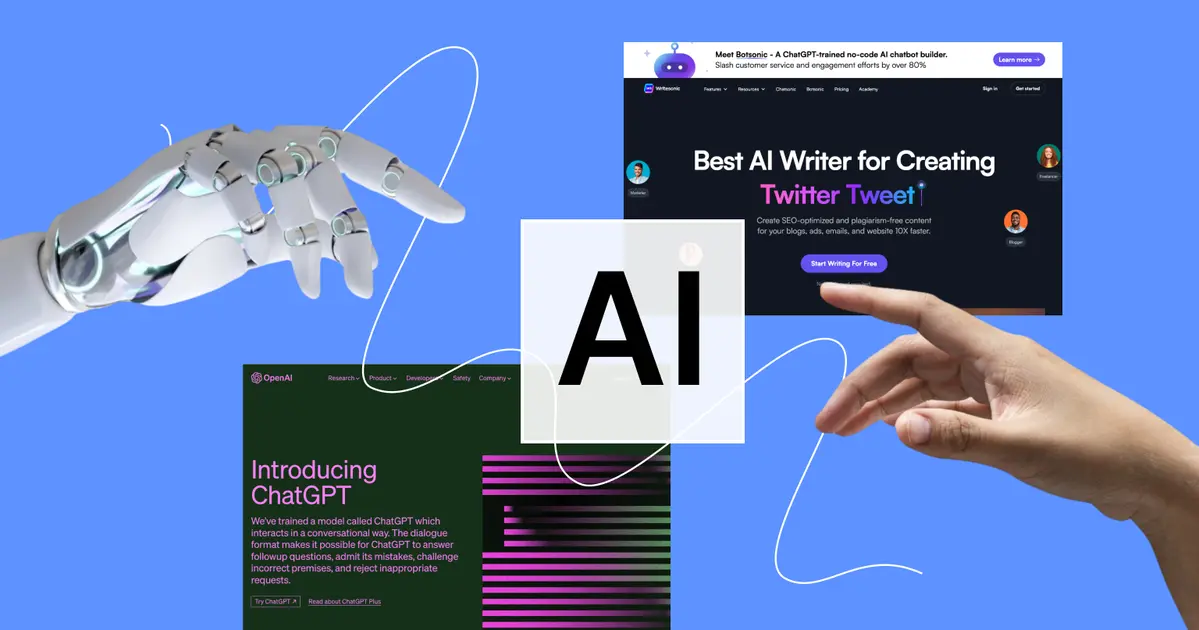
In today’s digital era, building a website is no longer just about HTML and CSS—it’s about creating intelligent, interactive, and user-friendly experiences. Our AI in Web Development course bridges traditional web design with cutting-edge AI technologies. You’ll learn how to design stunning websites and integrate AI-powered features like chatbots, auto-content generation, and image/audio creation, making your web projects smarter and more dynamic.
Using AI tools for web development, Whether you’re a beginner exploring web development or a professional aiming to upskill, this course gives you the tools to combine creativity with AI innovation, boost productivity, and deliver websites that stand out in the modern digital landscape. Start your journey and become a future-ready web developer with AI skills today!
Module 1: Fundamentals of AI in Web Development
1: HTML Basics (AI in Web Development)
HTML stands for HyperText Markup Language. It is the foundation of every website you see on the internet. Think of it as the skeleton of a webpage. Just like a house needs walls and structure, a website needs HTML to organize text, images, links, and other elements. AI in Web Development (HTML/CSS + AI)
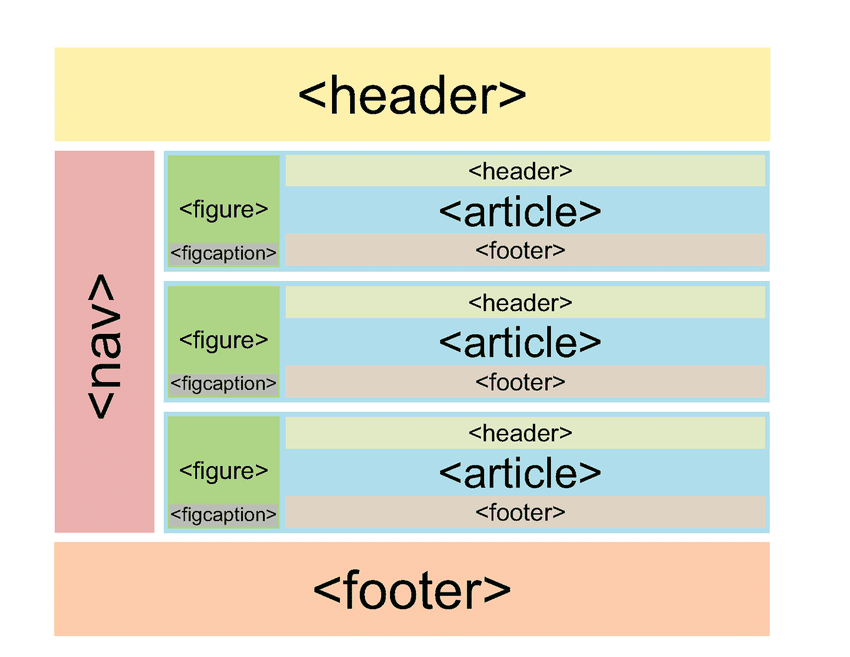
Structure of a Webpage
Every webpage follows a proper structure to work correctly:
- At the top, there is a declaration that tells the browser this is an HTML document.
- A page is divided into two main parts:
- Head Section – This contains the page title, metadata, and background information.
- Body Section – This holds all the content users can see, such as text, images, videos, and buttons.
Imagine it like a person: the head contains the brain (information), and the body contains everything visible.
Basic HTML Elements
Some of the most common building blocks of a webpage are:
- Headings – These are like headlines in a newspaper, making text stand out.
- Paragraphs – Used for normal text and descriptions.
- Lists – Organize content into points (bullets or numbers).
- Links – Connect one page to another or to a different website.
- Images – Display pictures on the webpage.
Forms and Input Fields
Forms allow a website to interact with users and collect data. Examples include:
- Login and Signup forms.
- A search box where you type queries.
- Feedback or contact forms.
Forms include elements like text boxes, checkboxes, radio buttons, dropdown menus, and submit buttons.
Adding Media: Videos, Audio, and Iframes
Websites today are not just text and images – they also include multimedia:
- Videos – Tutorials, ads, or movie clips can be added.
- Audio – Background music, podcasts, or voice notes.
- Iframes – These allow embedding another webpage inside yours (like showing a YouTube video within your site).
2: CSS Basics
- What is CSS and how it works with HTML
- Inline, internal, external CSS
- Selectors, properties, and values
- Fonts, colors, borders, spacing (margin/padding)
- Box Model
3: Responsive Design
- Media queries
- Flexbox layout system
- Grid layout system
- Mobile-first design
- Real-world responsive layout project
Module 2: Introduction to AI in Web Development
Artificial Intelligence (AI) is transforming the way websites and applications are created. From generating code automatically to providing personalized experiences for users, AI is becoming an essential tool for modern web developers. This module will help you understand the basics of AI, how it connects to machine learning and deep learning, and what types of AI tools are available specifically for web development.
4: Understanding AI Basics
What is AI?
Artificial Intelligence (AI) refers to computer systems that are designed to perform tasks that normally require human intelligence. Examples include recognizing images, understanding language, recommending products, or answering questions.
In simple words, AI is about making computers think and act smartly—not just follow instructions but also learn, adapt, and improve.
What is Not AI?
Not every software or algorithm is AI. For example:
- A calculator doing arithmetic is not AI—it’s just programmed instructions.
- A static website showing information without adapting to the user is not AI.
- AI only comes into play when systems learn from data or perform human-like decision-making.
Differences between AI, ML, and DL
- Artificial Intelligence (AI): The broad concept of creating smart machines that can perform tasks like humans.
- Machine Learning (ML): A subset of AI where machines learn patterns from data (e.g., predicting house prices based on past data).
- Deep Learning (DL): A further subset of ML that uses advanced neural networks, often for image recognition, speech, and natural language tasks.
Think of it like this:
AI = The big umbrella
ML = One of the main ways to achieve AI
DL = A specialized method inside ML for very complex tasks
Use Cases of AI in Web Development
AI can improve both the developer’s workflow and the user’s experience. Some practical applications include:
- Chatbots and virtual assistants to answer customer queries instantly.
- Personalized content that changes based on user behavior (e.g., showing different products to different users).
- AI-based design helpers that can create layouts, suggest color palettes, or optimize user interface designs.
- SEO automation where AI analyzes keywords and optimizes content.
5. Types of AI Tools for Web Development
AI tools for web development can be divided into three main categories:
1. No-code & Low-code AI Tools
These tools allow people to use AI without writing much code. Perfect for beginners or businesses that want quick results.
- ChatGPT – For generating content, answering queries, or creating chatbot features.
- Durable – An AI-powered website builder that can create websites automatically in minutes.
- Wix AI – Helps users design websites by suggesting layouts, content, and design improvements.
Benefit: Speed and simplicity—great for small projects or non-technical users.
2. API-based AI Tools
These tools require some coding knowledge but offer more flexibility and power. Developers can integrate them into websites and apps via APIs.
- OpenAI API – Provides access to models like GPT (for text) and Whisper (for speech recognition).
- Hugging Face – Offers a wide range of AI models for tasks like translation, summarization, and sentiment analysis.
Benefit: Customization—you can build advanced features like personalized chatbots, recommendation systems, or real-time analysis.
3. AI for Code Generation
These tools are designed to assist developers directly while writing code.
- GitHub Copilot – Suggests code snippets, functions, and even entire blocks of code as you type.
- Codeium – An AI coding assistant that helps with autocomplete, debugging, and explaining code.
Benefit: Boosts developer productivity by reducing repetitive tasks and speeding up coding.
Module 3: AI In Web Development Workflows
6: AI for Design and Layout
- Using AI tools for UI/UX design (Figma AI, Uizard)
- AI logo & color palette generation (Looka, Khroma, Coolors AI)
7: AI for Code Generation
- Using ChatGPT to write HTML/CSS code
- Asking ChatGPT for component-based design
- Debugging code with AI tools
8: AI for Content & SEO
- Auto-generating content with ChatGPT/Jasper AI
- AI image generation for banners (DALL·E, Midjourney)
- On-page SEO automation using AI
- AI meta tag generators
Module 4: Practical AI Integration with HTML/CSS
Artificial Intelligence is no longer limited to research labs or complex coding environments. Today, anyone can integrate AI into websites with just a few steps—sometimes without writing a single line of code. In this module, we’ll explore how AI can be embedded directly into your website using simple tools like iframes, widgets, and APIs.Embedding AI in Websites (No-Code)
Embedding AI in Websites (No-Code)
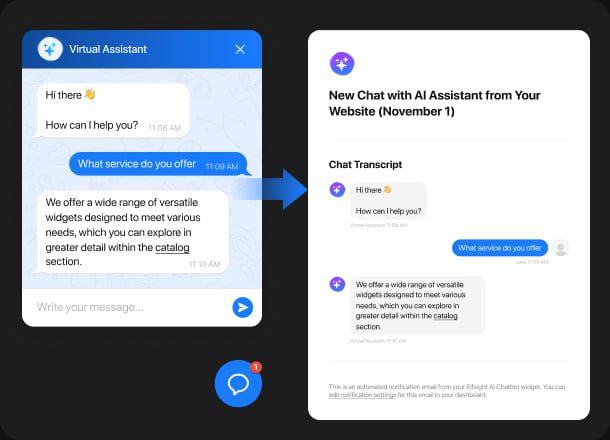
Not everyone is a programmer, and that’s completely fine. Thanks to no-code tools, you can bring AI features to your website quickly and easily.
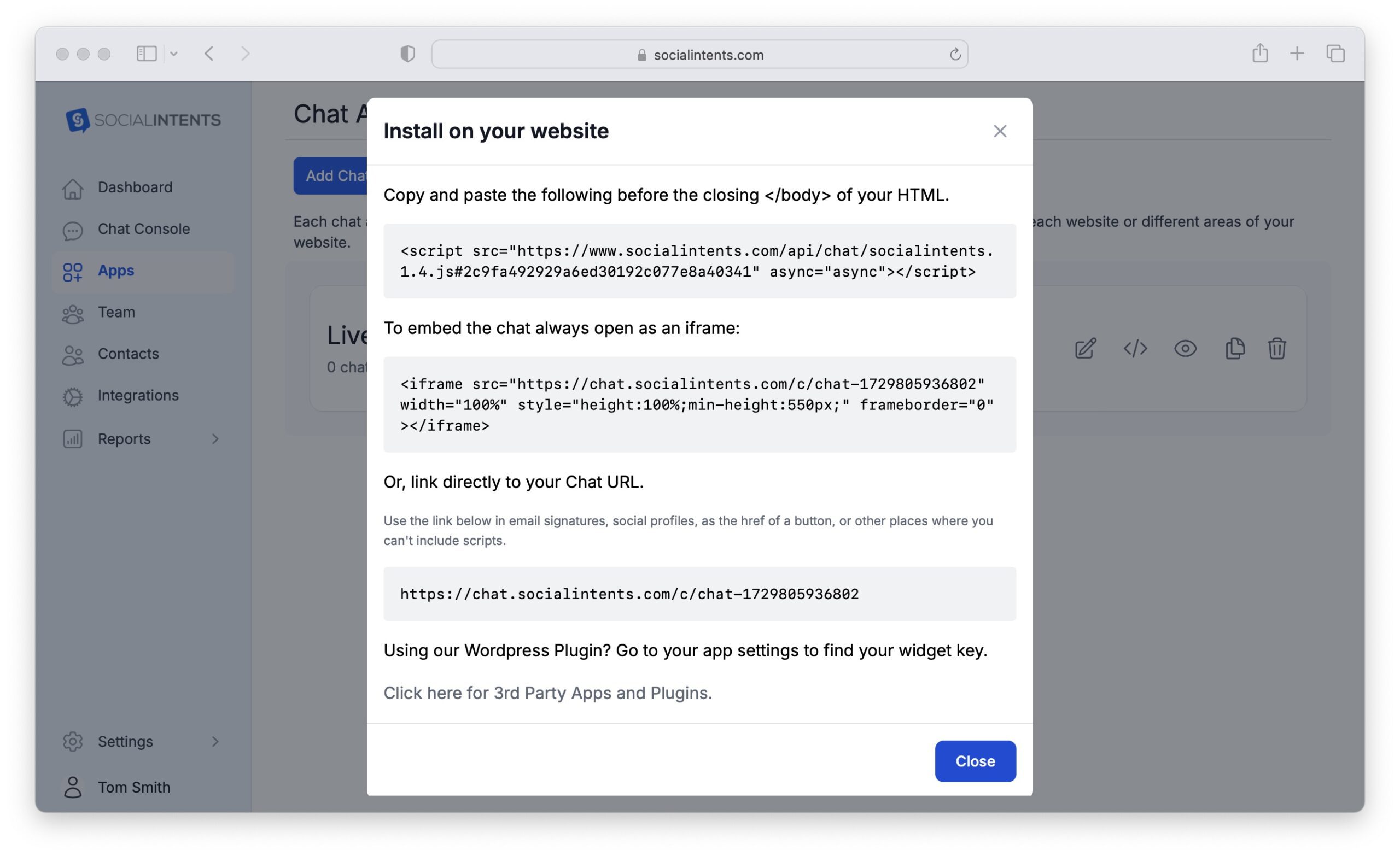
- Using iframe or embed codes
Many AI tools provide an embed code, just like YouTube videos. You simply copy the code and paste it into your webpage. This instantly adds features like chatbots, translators, or even AI-based forms. - Embedding ChatGPT chatbot via widget
If you want your visitors to chat with an AI assistant, you don’t need to build one from scratch. Platforms like ChatGPT offer widgets that can be dropped into your site. In a few clicks, you’ll have an interactive chatbot that answers questions, provides support, or guides users. - Embedding AI video, text, or voice tools
Want to add an AI video explainer, text generator, or voice reader to your website? Many AI platforms offer ready-to-use embed features that you can plug in, giving your site a modern and interactive experience without heavy coding.
APIs & AI Tools Integration
For those who want a bit more customization, APIs are the way to go.
- What is an API?
An API (Application Programming Interface) is like a bridge that connects your website to an external AI service. Instead of building AI from scratch, you send a request to the AI service, and it sends back the result—whether it’s a summarized article, a chatbot response, or an image. - Using the OpenAI API (basics)
With OpenAI’s API, you can bring ChatGPT or other AI models directly into your website. By using an API key securely, you can send text to the AI and display the generated response back to your users. - Adding an AI text summarizer
Imagine you have a blog with long articles. Using an AI text summarizer through an API, you can show a “Quick Summary” button on each article. Visitors can then get the key points in seconds. - Adding an AI chatbot using JavaScript + API
If you’re comfortable with a little coding, you can integrate an AI chatbot with JavaScript. By connecting to the API, your chatbot can understand user input and reply intelligently—making your website feel smarter and more interactive.
Module 5: Smart Websites – Project Based Learning
In this module, you’ll take everything you’ve learned about web development and AI integration and apply it to real-world projects. Instead of just theory, you will actually build smart websites that showcase your skills and give you a competitive edge.
We’ll focus on two powerful projects: AI Portfolio Website and Smart Landing Page. Both projects are designed to make your websites look modern, professional, and intelligent with AI features.
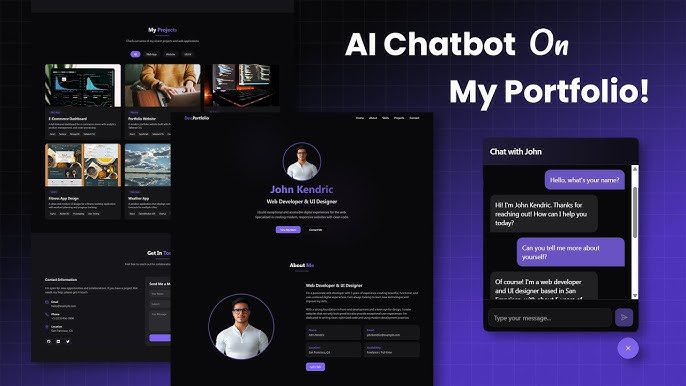
1. AI Portfolio Website (HTML/CSS + AI Tools)
A portfolio is one of the most important tools for anyone in the digital world. Whether you are a developer, designer, or marketer, your portfolio represents your personal brand. With AI, we can take it a step further and make it smarter.
Key Features:
- AI-Generated Content:
Instead of writing everything from scratch, you can use AI to generate engaging descriptions for your projects, bio, and even testimonials. This saves time and ensures professional-quality writing. - Resume Builder Integration:
A portfolio is incomplete without a resume. With AI-powered resume builders, you can let your website visitors download a personalized CV or explore an interactive resume section powered by smart templates. - AI Assistant Inside Portfolio:
Imagine having a chatbot on your portfolio site that can answer questions like:
“What skills do you have?” or “Show me your latest project.”
This makes your portfolio interactive and leaves a lasting impression on visitors.
2. Smart Landing Page
Landing pages are designed to convert visitors into customers. A Smart Landing Page goes beyond static content—it adapts and interacts with users using AI.
Key Features:
- Sales Page with HTML/CSS:
You’ll design a modern, responsive landing page layout with sections for headlines, product/service details, and calls to action (CTAs). - Auto-Generated Content & Images:
Instead of spending hours writing copy or designing graphics, you can use AI tools to instantly create professional content and visuals that fit your brand. - Smart CTA with AI Recommendations:
Instead of a generic “Buy Now” button, your landing page can use AI to recommend personalized actions. For example:- If a visitor is a student, it might suggest “Get Student Discount”.
- If a visitor is browsing from a mobile device, it might show “Download the App Now”.
This makes your landing page dynamic and more likely to convert visitors into leads or customers.
Module 6: Hosting, Deployment & Optimization
Building an AI-powered website is only half the journey—making it accessible to the world is the real game-changer. This module focuses on how you can host, deploy, and optimize your AI websites so they run smoothly and reach the right audience. Let’s break it down step by step.
1: Hosting AI Websites
When your website is ready, you need to put it live on the internet. This process is called hosting. Hosting makes your site accessible to anyone with just a link. Here are some of the easiest and most popular hosting options:
- GitHub Pages – Perfect for beginners who are building simple projects with HTML, CSS, and JavaScript. It’s free and works great for portfolios or small AI demo websites.
- Netlify – A modern hosting platform that provides free hosting for static websites with extra features like forms, serverless functions, and instant deployment from GitHub.
- Vercel – Best known for deploying React, Next.js, and AI-based web apps. It’s developer-friendly and supports advanced AI integrations.
Once you choose a hosting service, you can connect your custom domain (like mywebsite.com) to make your site look professional. Most hosting tools have free plans, but for extra speed, storage, and branding, premium versions are also available.
2: Performance Optimization
After hosting your site, the next step is ensuring it loads quickly and performs well. Nobody likes a slow website, and AI tools can help optimize performance. Here’s how:
- Image Compression Using AI – AI-based tools like TinyPNG or Adobe Firefly can compress images without losing quality. Smaller image sizes mean faster loading pages.
- Lazy Loading – Instead of loading all content at once, lazy loading ensures that images and videos load only when a user scrolls down to see them. This makes the website feel much faster.
- Code Optimization via AI Tools – AI-powered tools like GitHub Copilot or ChatGPT can help clean, rewrite, or minify your code. Cleaner code improves speed and reduces bugs.
By combining good hosting with smart optimization, your AI website won’t just work—it will work efficiently, giving users a smooth experience.
Final Project
Build a complete AI-enhanced website using only HTML, CSS, and AI tools
- Choose a niche (e.g., portfolio, service website, blog, etc.)
- Integrate AI-powered features (chatbot, auto content, image/audio generation)
- Deploy and share live version
If you’re looking to enhance your web development skills with AI integration, Coursera offers specialized courses tailored for developers: 🔗 Explore the AI for Web Developers Specialization